At the time of writing this article, I was using :
- Jamf Pro 10.16
- macOS Catalina 10.15.0 Build 19A602
What are we setting up…
- Jamf on Docker Containers
- This will run locally on the machine
- https://bryson3gps.wordpress.com/2019/11/25/so-you-want-to-containerize-jamf-pro/{:target="_blank"}
- Jamf on AWS
- Makes use of above docker.
- Google domain needed to add CNAME.
- https://bryson3gps.wordpress.com/2019/11/25/so-you-want-to-run-serverless-jamf-pro/{:target="_blank"}
3a. Azure LDAP and Azure SSO
https://hcsonline.com/images/PDFs/Jamf_Microsoft_Azure_Integration.pdf{:target="_blank"}
https://hcsonline.com/images/Identity_Management_Azure_Jamf.pdf{:target="_blank"}
Used some of these mappings : https://travellingtechguy.eu/integrate-azure-ldap-in-jamf-pro/{:target="_blank"}
3b. JumpCloud as LDAP provider and SSO.
Prerequisites for the setup :
Amazon AWS account - https://aws.amazon.com/free/{:target="_blank"}
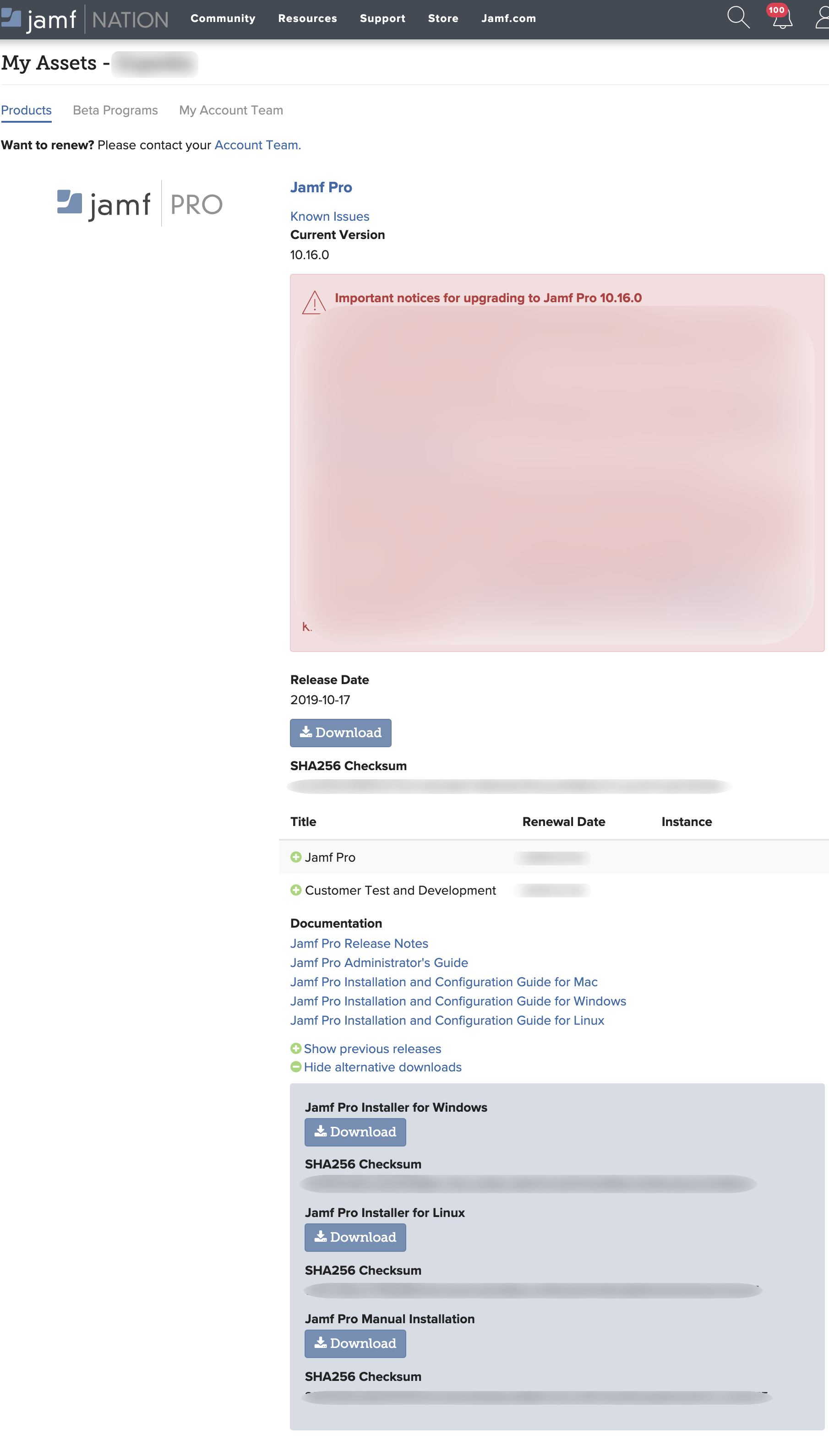
Jamf Pro Manual Installer
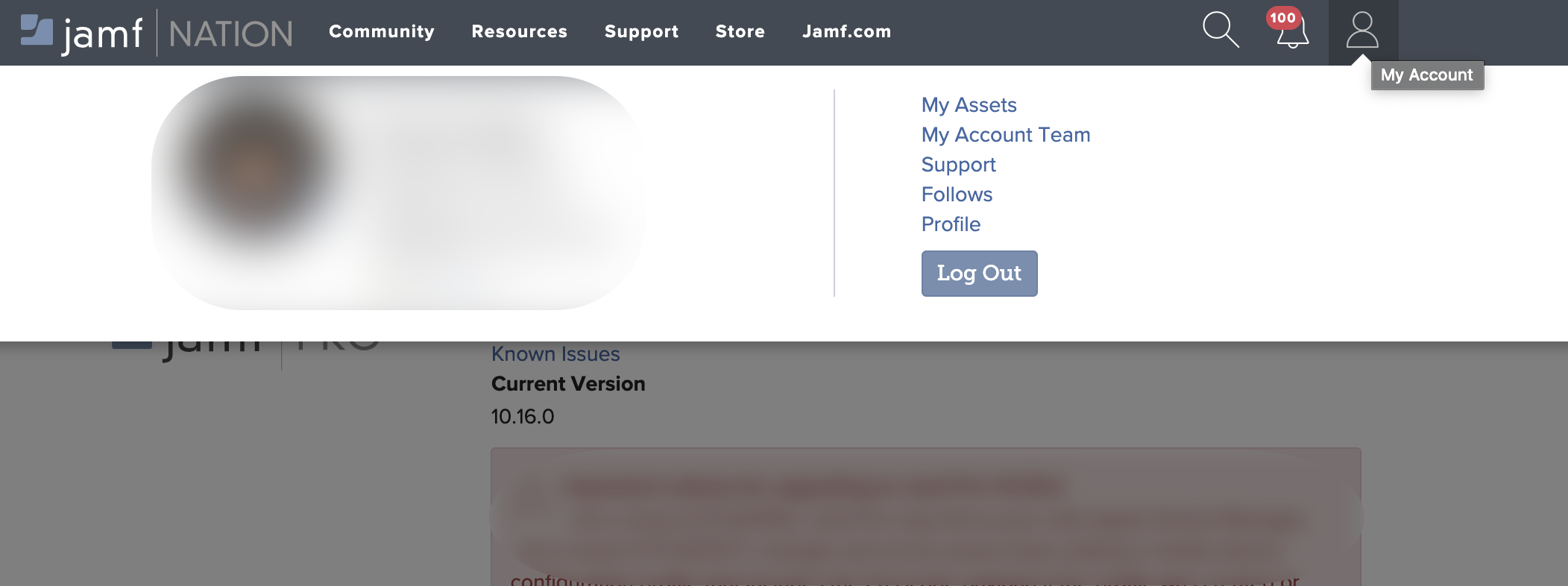
- Login to your jamfnation account https://www.jamf.com/jamf-nation/{:target="_blank"}
- Click Account > My Assets
- Jamf Pro Manual Installation > Download
Reference articles :
@rtrouton - Creating a Jamf Pro Cloud Distribution Point using Amazon Web Services{:target="_blank"}
@Richard Purves - JSS and AWS: Cloud Design for a beginner{:target="_blank"}