1. Server and Clients – Behind Same Public IP (same or different subnet)
- First, the server registers with Apple, it provides it Public IP and the Private IP. Apple notes both the information.
- Second, When the client requests Apple for any download, since Apple knows that there is a caching server associated with that Public IP, it redirects the client.
- Third, the client can be on same subnet or different subnet.
2. Server – 1 Public IP (constant), Clients – different Public IP (constant)
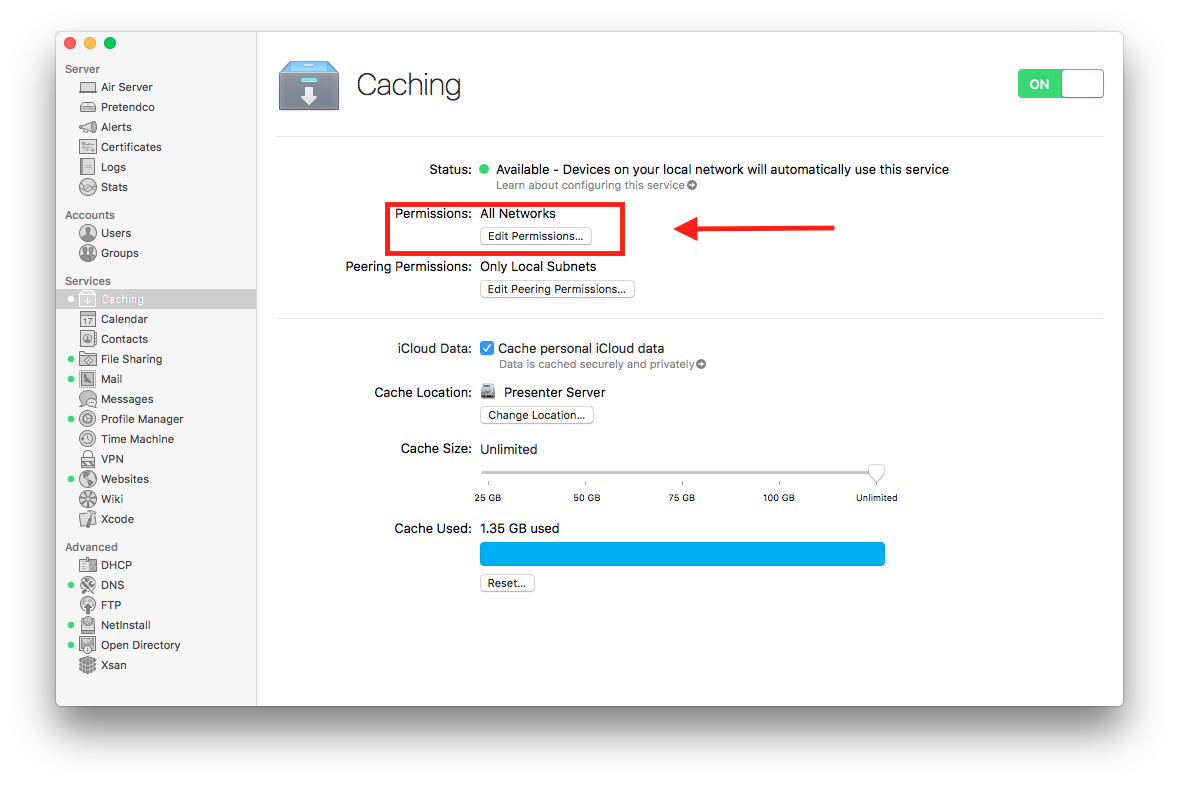
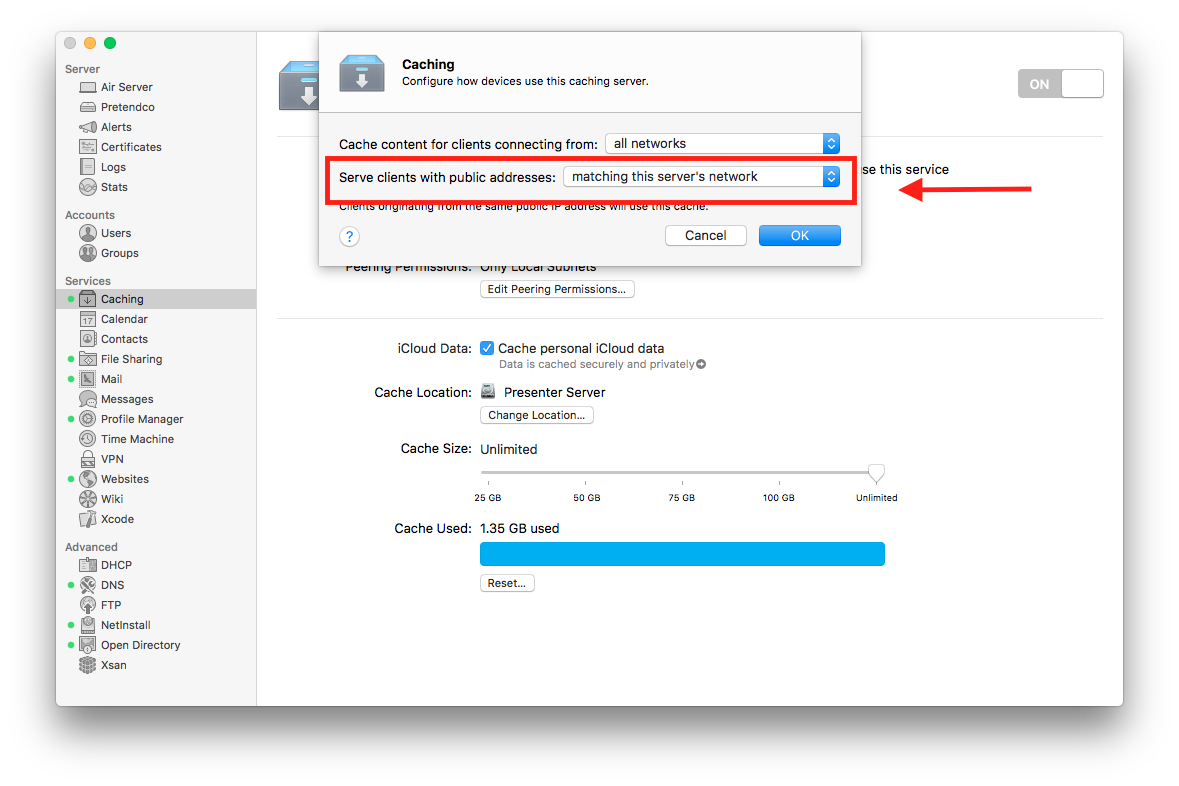
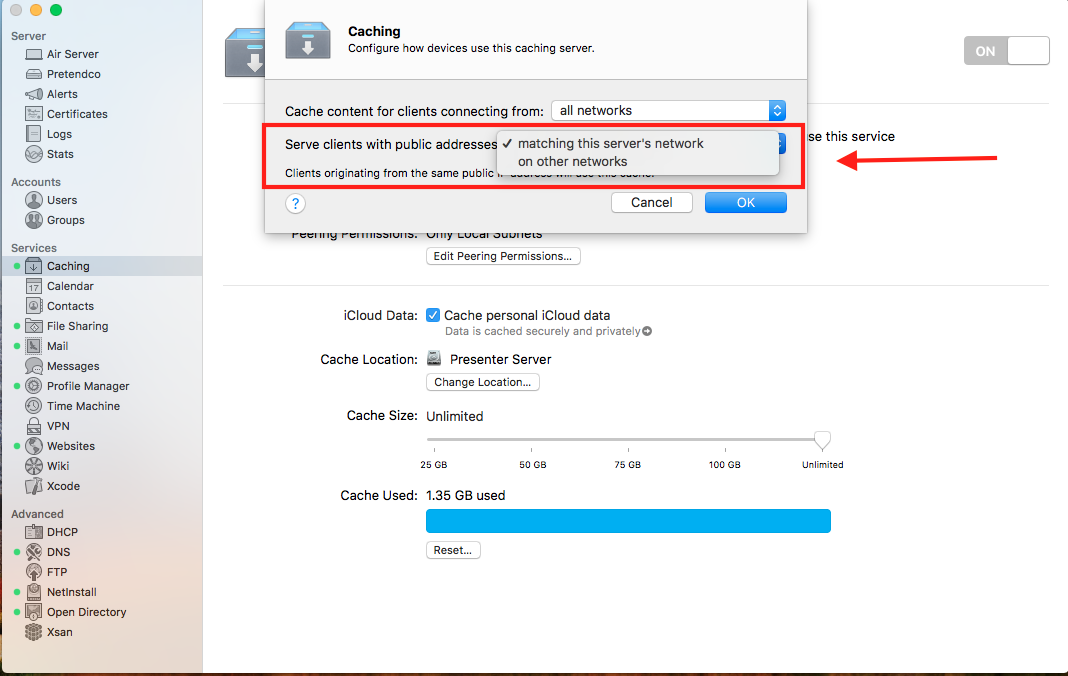
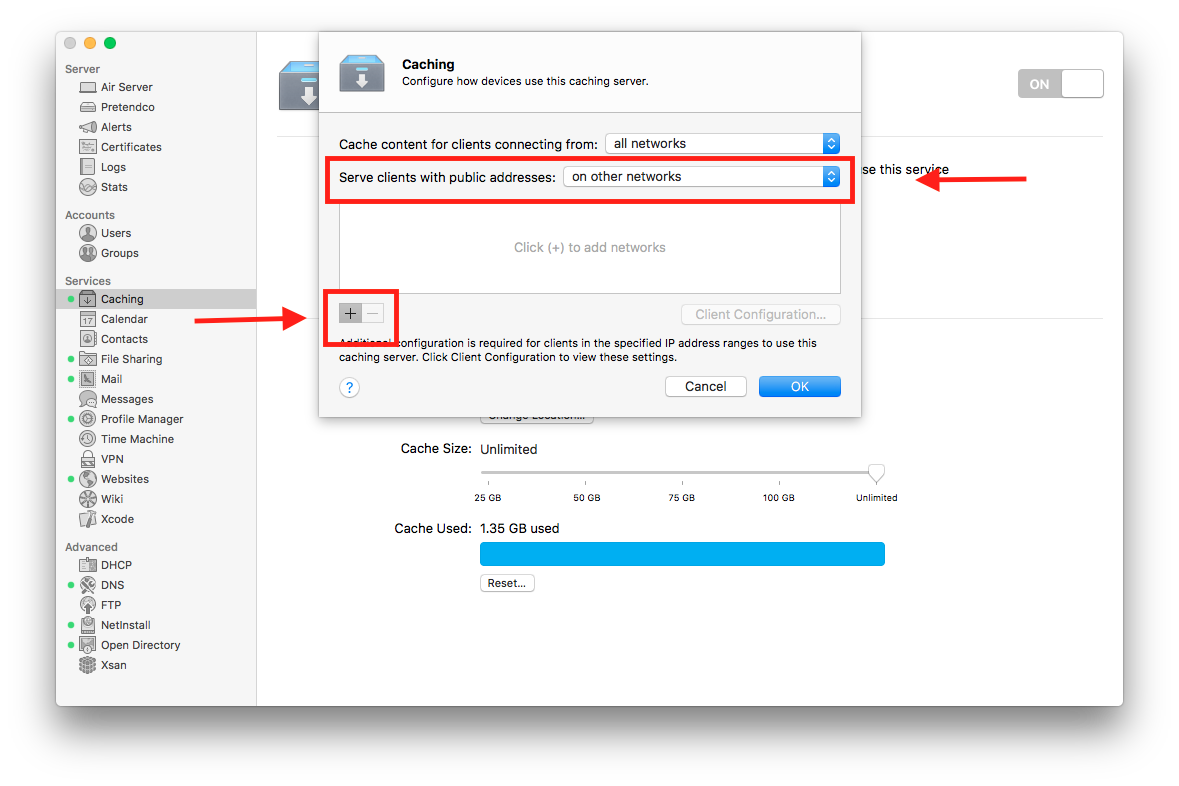
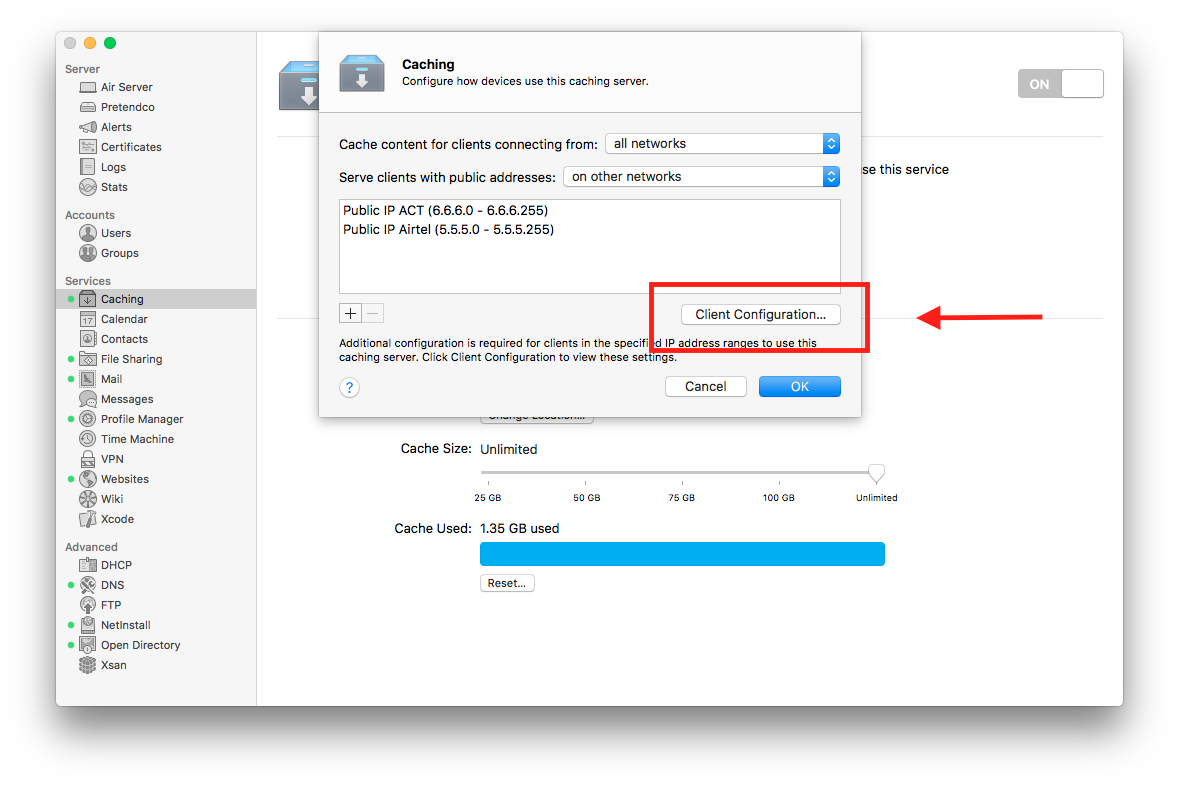
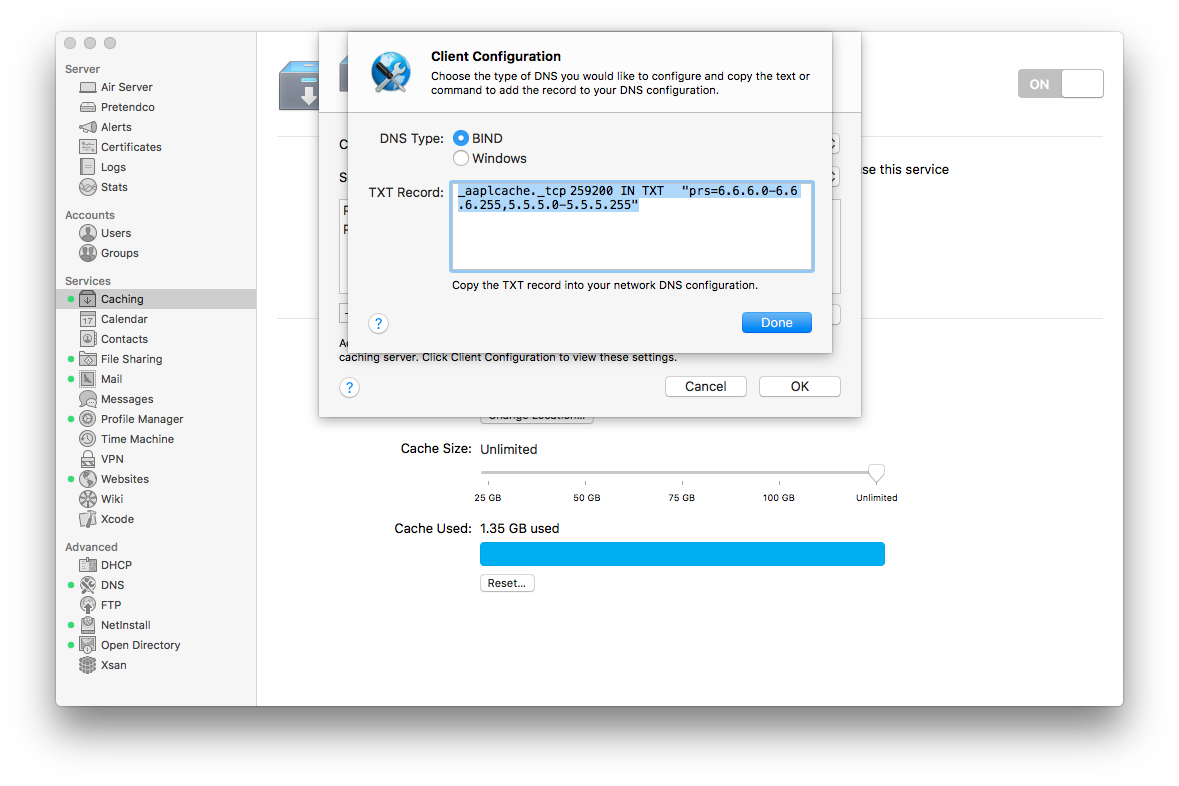
(We need to mentioned the different range of public IPs that the caching server should serve in the server app. And also, In order to avoid manual configuration of clients, caching service uses DNS TXT records to publish the public IP address information for clients on your network)
- First, the server registers with Apple, it provides it Public IP and the Private IP. Apple notes both the information.
- Second, When the client requests Apple for any download, (client and server’s public IPs are different), but since you’ve mentioned the different range of public IPs that the caching server should serve, Apple will redirect the client., but the server is on different Public IP, hence the DNS TXT records are required.
- Third, the client now contact the caching server.
- https://help.apple.com/deployment/macos/#/ior0a1af509a{:target="_blank"}
- https://help.apple.com/serverapp/mac/5.3/#/apd6015d9573{:target="_blank"}
- https://help.apple.com/deployment/macos/#/ior0617a3d13{:target="_blank"}
3. Server – 1 Public IP (constant), Clients – different Public IP (CHANGING)
Just like earlier, we need to mention the range of public IPs the caching server should serve.
4. Server – 1 Public IP (CHANGING), Clients – different Public IP (CHANGING)
NOT IDEAL. The results are arbitrary.
You need to restart the service everyday. So that everyday, the caching server registers with Apple.